AKP Technical Support

Before using the AKP system, make sure the correct personal protective equipments are used such as:

  • Safety gloves
  • Safety glasses
  • Hearing protection

Further, during operation of the AKP and it's subsystems:

  • Do not eat
  • Do not drink
  • Do not smoke

Make sure you are always working safe and in a safe location.

Please use the "back" button instead of the browser back button to go one page back.
I've read the safety instruction and I want to continue troubleshooting
Back to start
Back
What went wrong?
The AKP status light is red
The AKP status light is off
The generator gives an error message and/or makes a buzzing sound
The generator has shut down
The generator doesn't start properly
None of the above
Back to start
Back
Has the AKP been on for more than 15 minutes?
Yes
No
Back to start
Back
Wait for 15 minutes to allow for the AKP to start up properly.
Does this solve the issue?
Yes
No
Back to start
Back
Is the generator on?
Yes
No
Back to start
Back
Does the generator give any error signals?
Yes, the generator gives an error message on the control panel and/or makes a buzzing sound.
No
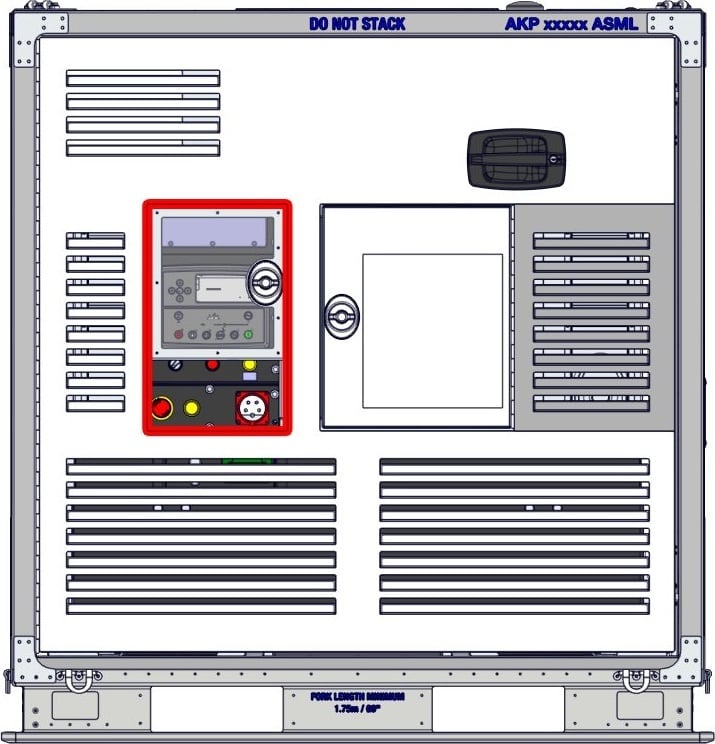
1235-10-1003 Control panel-2
Back to start
Back
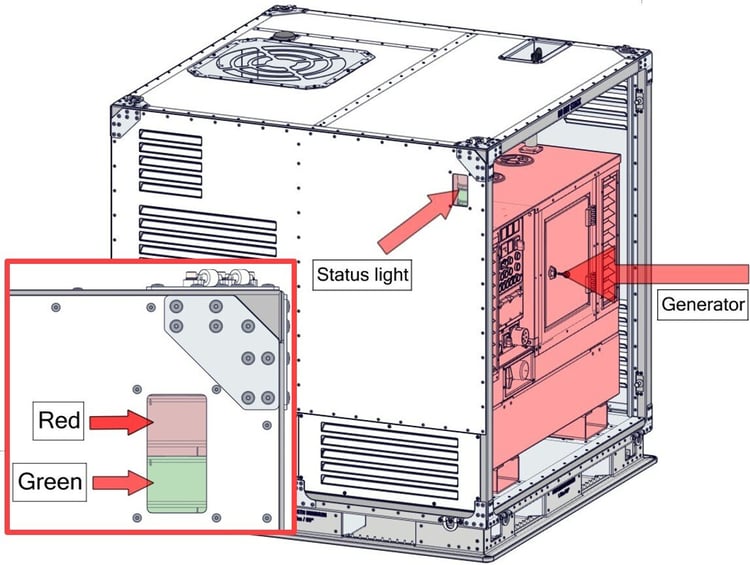
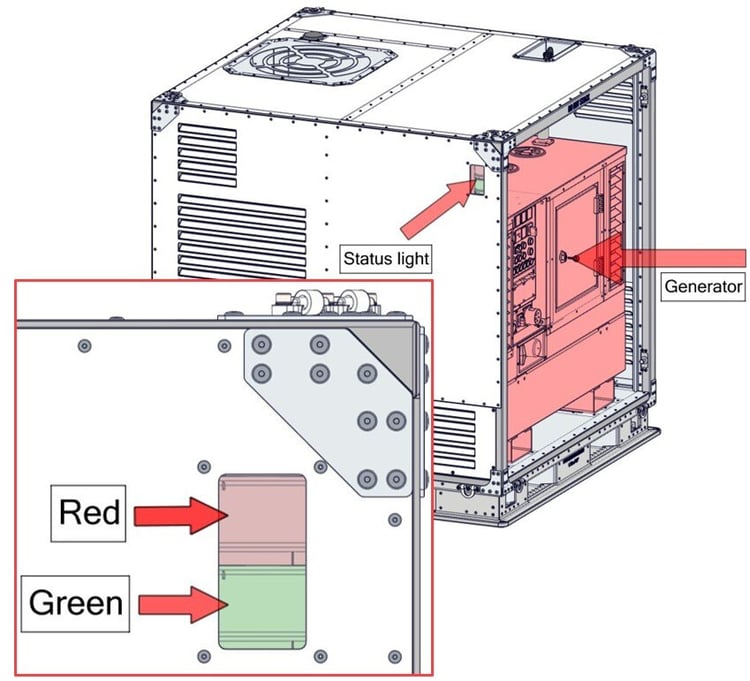
Does turning “ON” the generator turn on a red/green light on the AKP status light?
Yes, there is a red light
Yes, there is a green light
No
Back to start
Back
Is there an error message on the control panel?
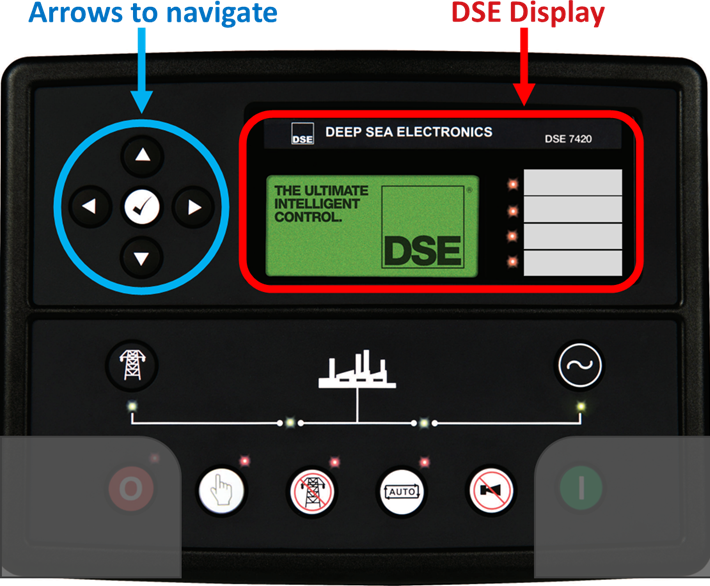
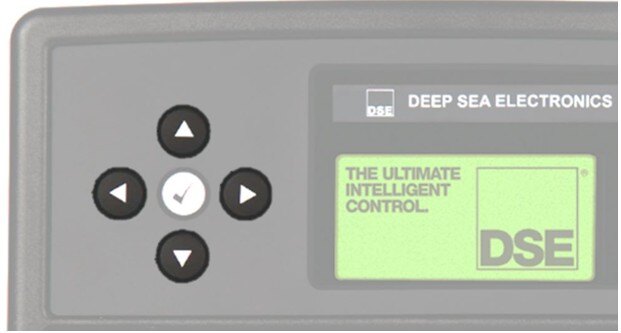
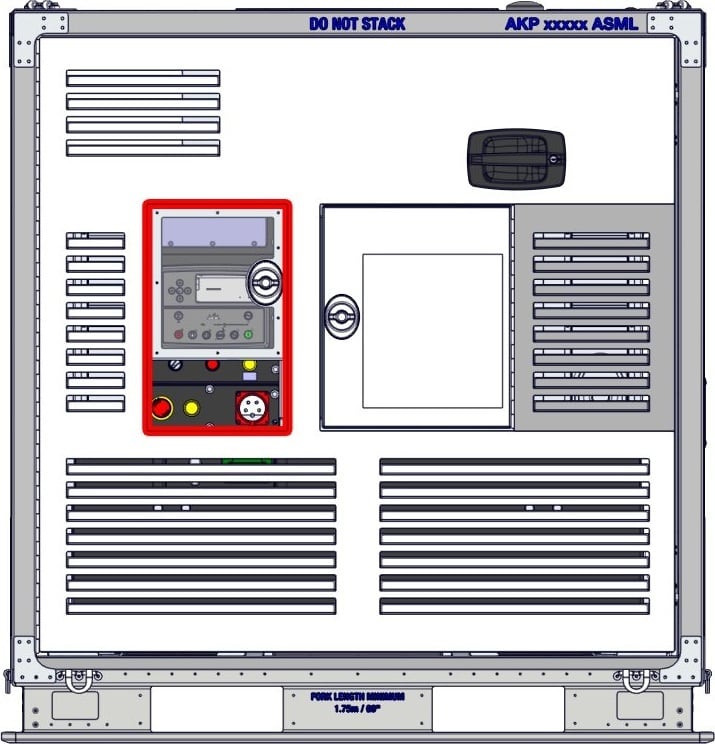
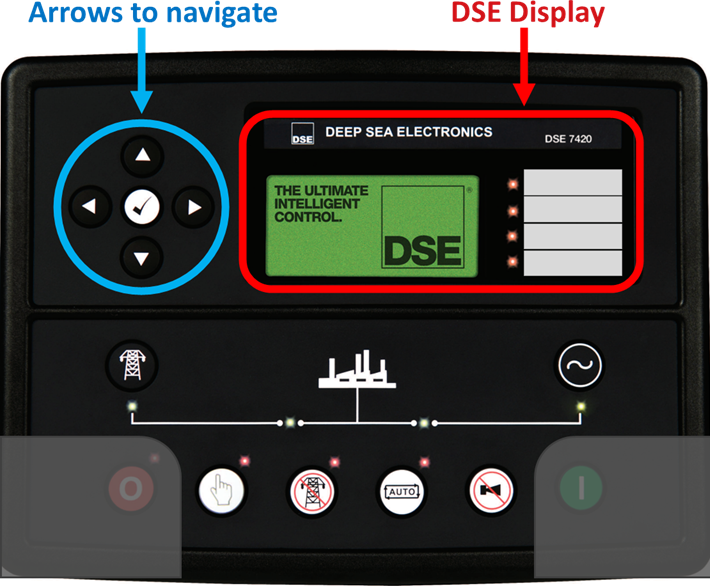
Error messages are shown on the DSE display. The display should be open on the error screen. If not, use the arrows on the left to navigate through the different menu's until you get to the error screen.
Low Fuel Level
Temperature
Oil
Battery charging
Emergency stop
Common Alarm / Other
None of the above
DSE Display
Back to start
Back
Does the generator give an error signal?
Yes, the generator gives an error message on the control panel and/or makes a buzzing sound
No error signals from the generator
Back to start
Back
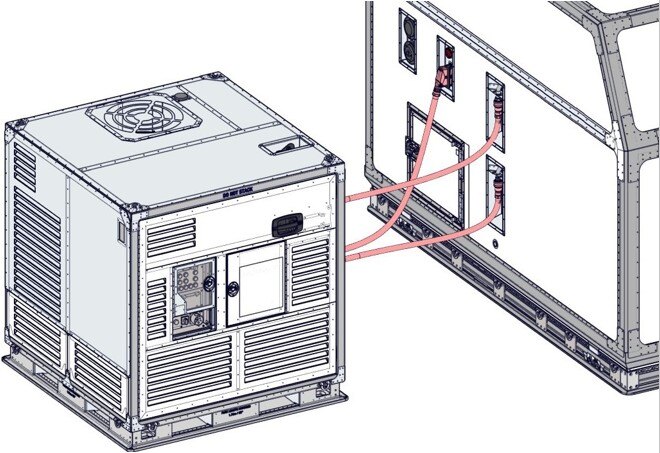
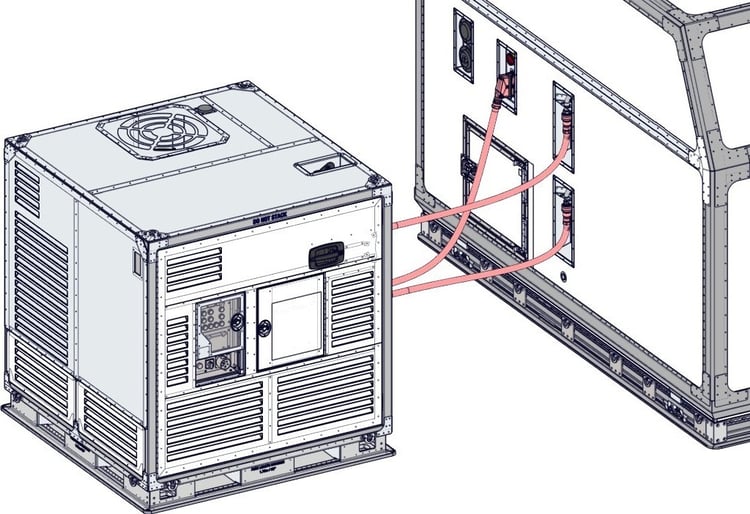
Are the 2 hoses and 1 electrical cable connected correctly to the cargo container?

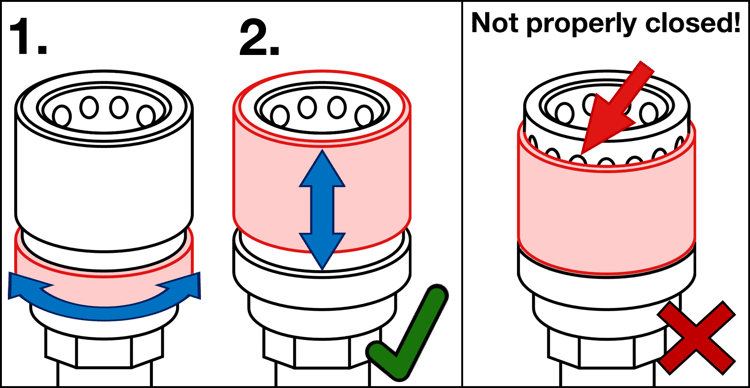
To attach/detach the hoses, follow these steps:

1. Unlock the lock ring by rotating it until it springs open.
2. Pull the connector part down while (dis-)connecting it from the container.

If the bearings are visible, the connector is not properly connected to the cargo container.
Yes
No
Back to start
Back
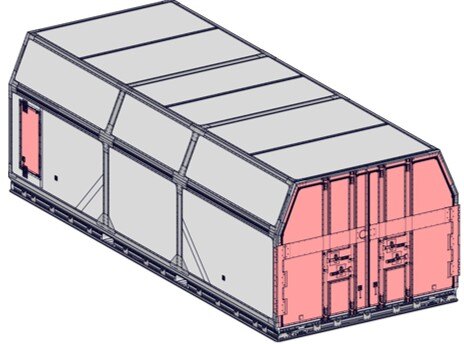
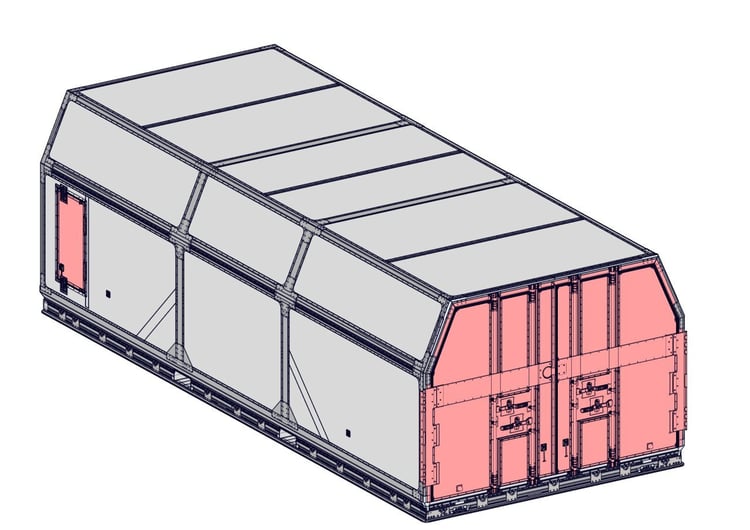
Are all doors of the cargo container closed?
Yes
No
Back to start
Back
Connect the hoses and electrical cable to the cargo container (and wait 15 minutes).

The glycol hoses have a locking mechanism, see image for more details.

Does this solve the problem?
Yes
No
No, the coupler is damaged
AKP + MZA 2 Glycol hoses connected troubleshooting guide
Back to start
Back
Close the doors of the cargo container (and wait 15 minutes).

Does this solve the problem?

Yes
No
MZA Doors
Back to start
Back
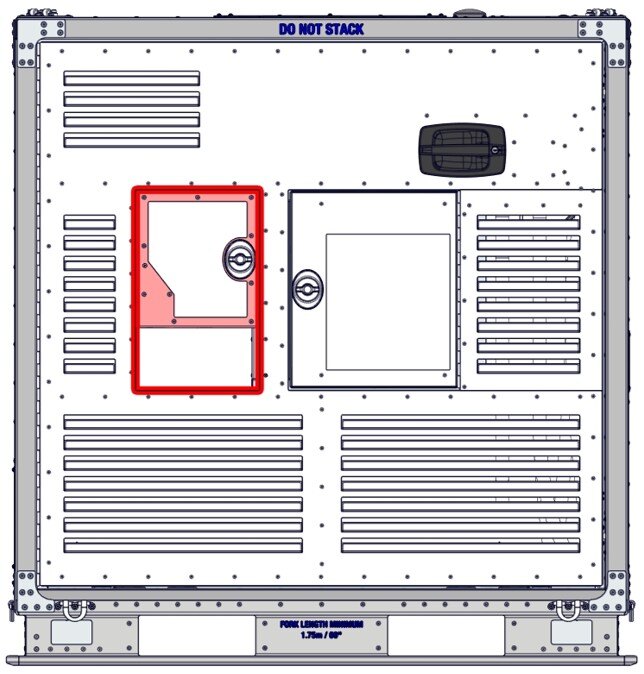
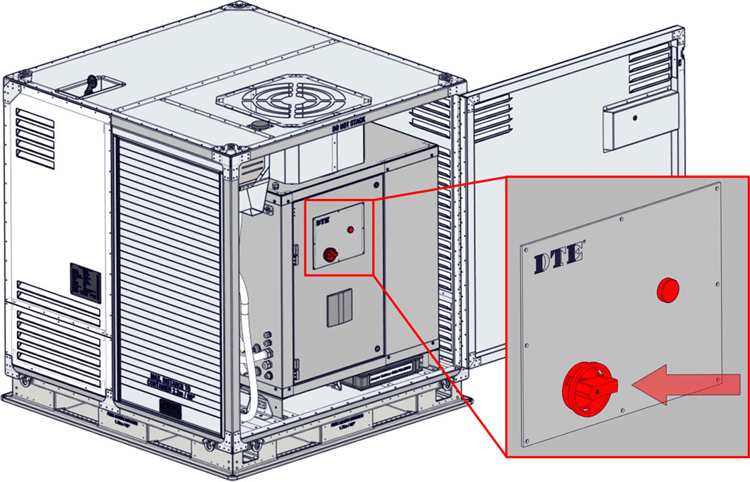
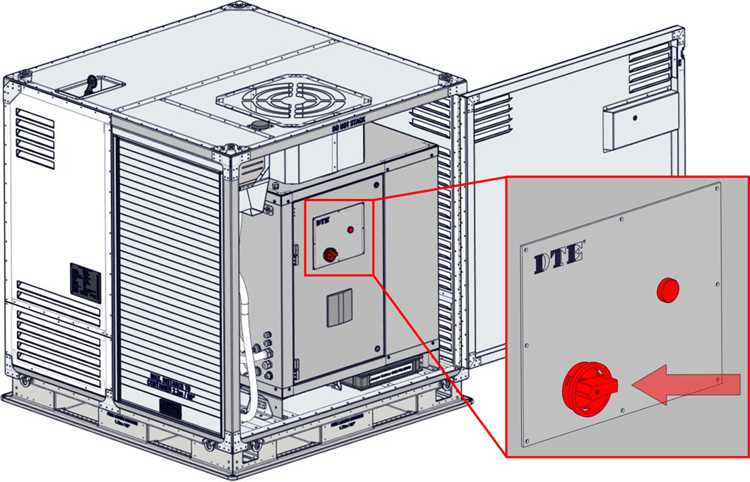
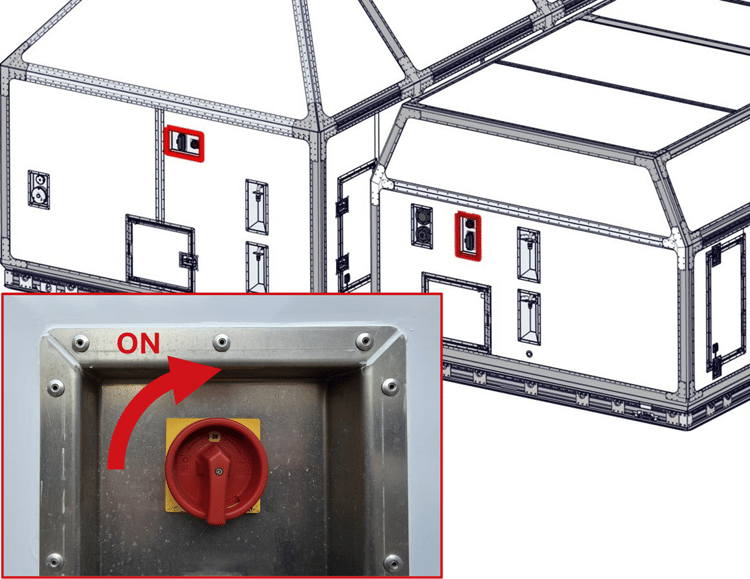
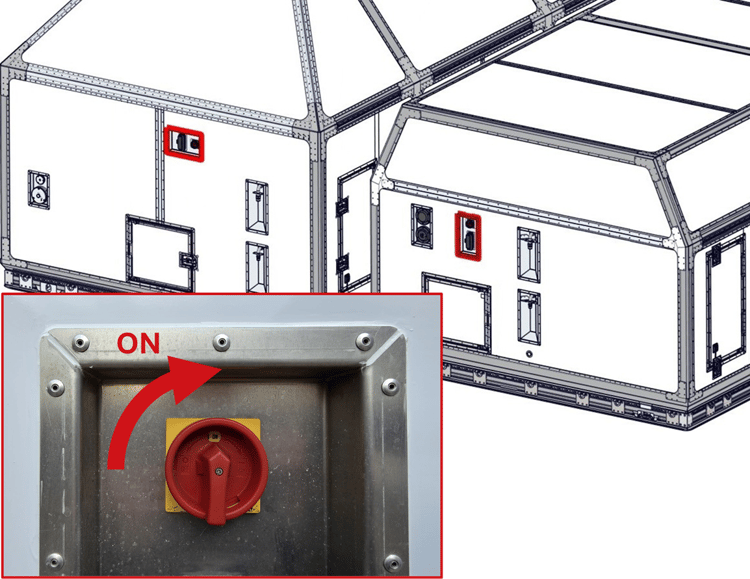
Open the CCU (Climate Control Unit) service side door. Is the CCU on?
The main switch is located on the service door of the CCU.
Yes
No
Is CCU on
Back to start
Back
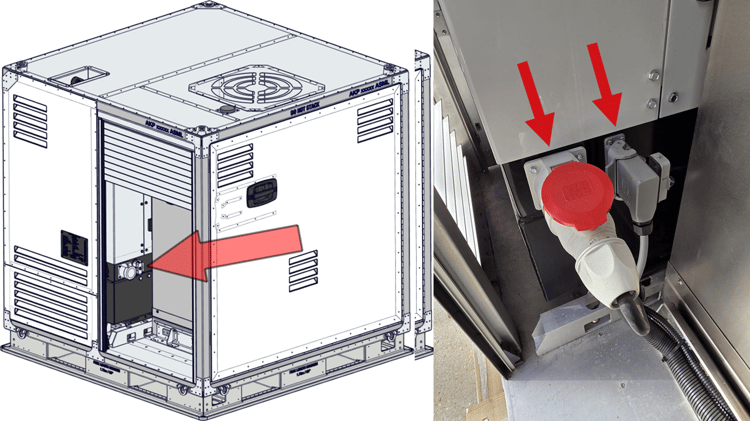
Open the roller-shutter completely and look at the backside of the generator.

Are both cables from the CCU connected to the generator?

1. Power cable (red)
2. Data cable (grey)
Yes
No
Cable GEN-CCU
Back to start
Back
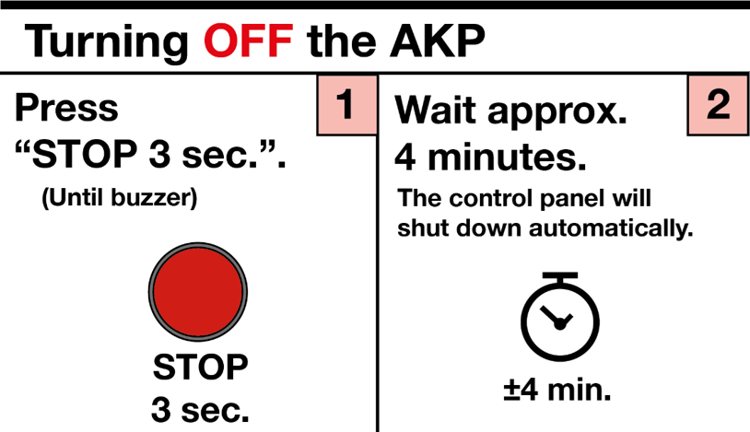
Turn on the CCU (Climate Control Unit) and wait 15 minutes.

Does this solve the problem?
Yes
No
Is CCU on-1
Back to start
Back
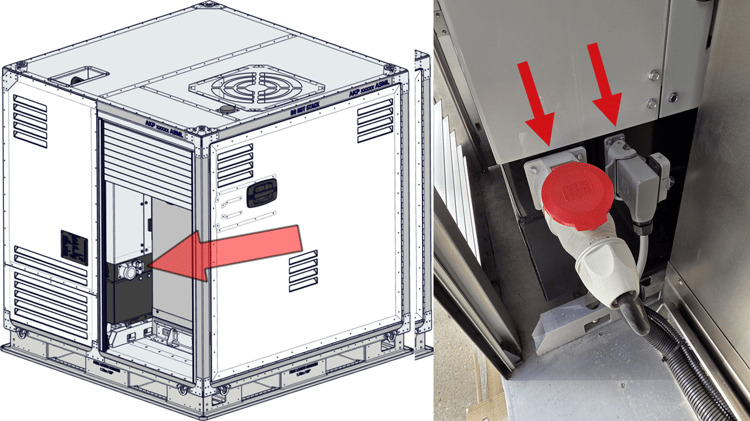
WARNING: Make sure both generator & CCU (Climate Control Unit) are off!

Connect the 2 cables and wait for 15 minutes. Does this solve the problem?
Yes
No
Half stop Cable GEN-CCU-2
Back to start
Back
Call the forwarder and check the temperature inside the cargo container.

Is the temperature inside the cargo container within spec?

Yes
No
Back to start
Back
Have you already tried restarting the system?
Yes
No
Back to start
Back
Call forwarder/supervisor and inform them of the situation.

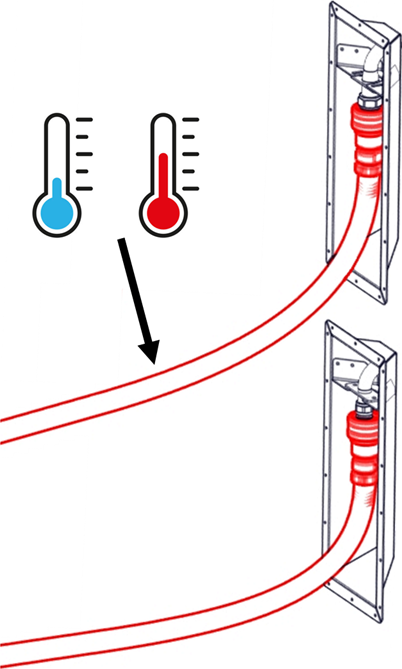
Feel the hoses connected to the cargo container. Is one of these statements true?

  • If the temperature inside the container is too hot (above 23°C), the upper hose should feel cold.
  • If the temperature inside the container is too cold (bellow 19°C), the upper hose should feel warm.
Yes
No
Top hose temperature
Back to start
Back
Wait 15 minutes.

Does the AKP light turn green or is the temperature inside the container slowly changing towards 21°C ?

Yes
No
Back to start
Back
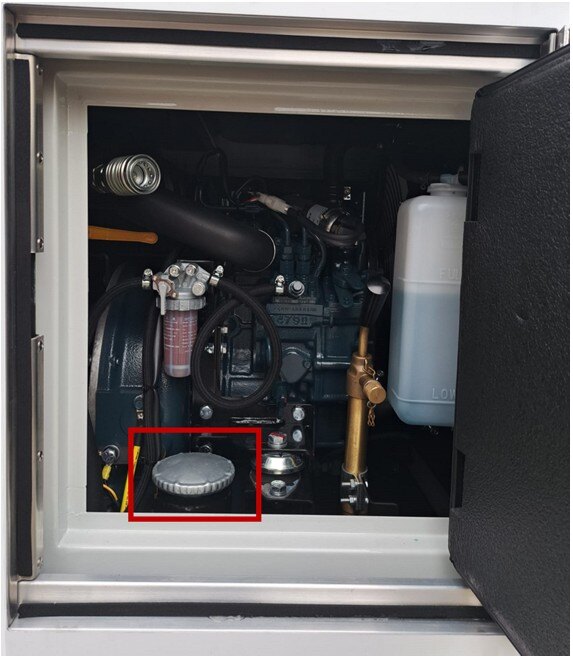
Re-fuel at the earliest convenience.

If only the fuel low error is shown, the generator can still function.

If the fuel empty error is shown, or if the fuel level reaches 10% or less, the generator may shut-down in order to prevent damage to the generator.
I have re-fueled the generator
Back to start
Back
Did this solve the issue?
Yes, this solved the issues I am having
No, I am still experiencing issues
Back to start
Back
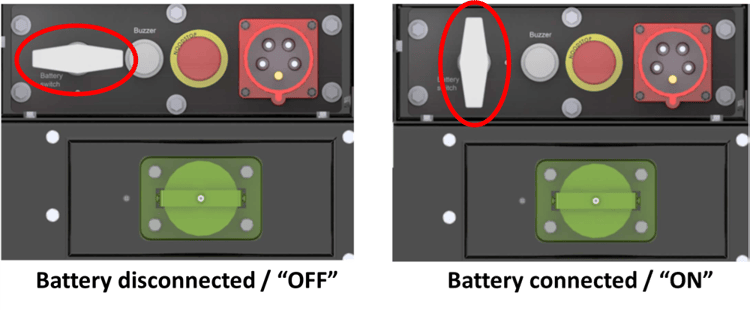
Is the battery turned "ON" / Is the battery connected?

The battery is "ON" / connected if the switch is in vertical position.
Yes, the battery switch is "ON" (connected)
No, the battery was not switched "ON" (disconnected)
Back to start
Back
Does it look like the battery is drained/empty?

Symptoms to look for include:

  • Engine struggles to start.
  • The lights and/or display are dimmed.
  • There is a battery error on the control panel.
  • The generator won't start at all.
Yes
No
Back to start
Back
Switch the battery switch to "ON", then follow the starting procedures.

Does this solve the problem?

Yes, the generator is starting without issues
No, I'm still experiencing an issue with the generator
Back to start
Back
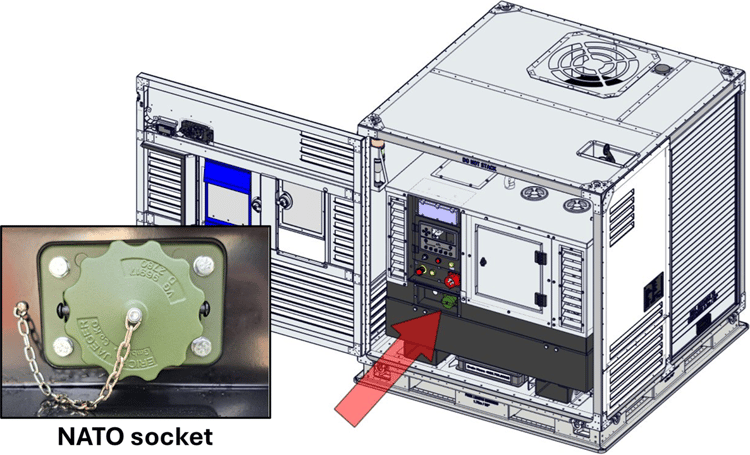
Call forwarder/supervisor and consider the following steps:

1. Check if there is a suitable external power source nearby (on the truck).
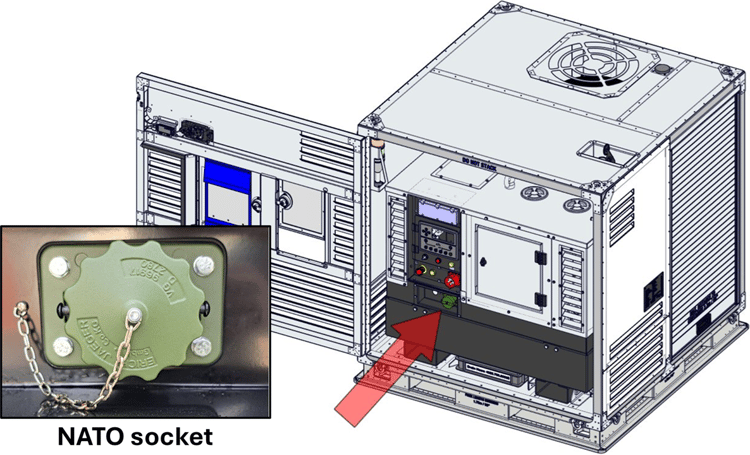
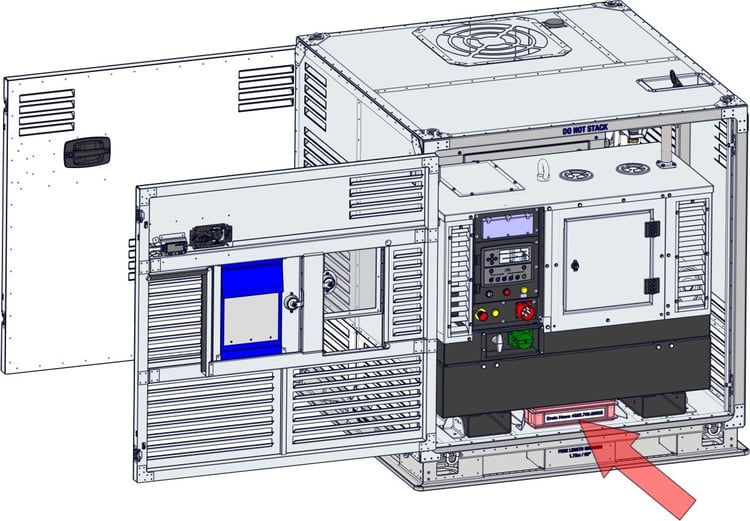
2. Check if there is a NATO cable available.

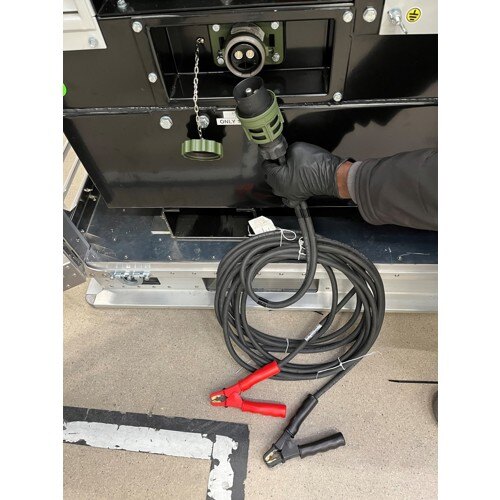
Some AKP's contain a NATO cable, which can be found underneath the generator or CCU.

IMPORTANT: Only use the NATO cable! Only use 12V! Always consult the OM (Operation Manual) in when in doubt!
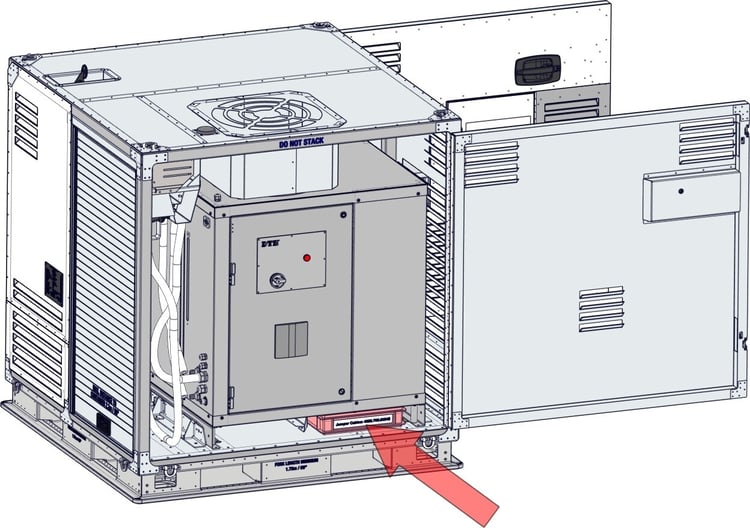
Yes, there is a suitable NATO 12V source
No, there is no suitable NATO 12V source
I don't have a NATO 12V cable available
Back to start
Back
Inform forwarder/supervisor and consider the following:

WARNING: Only use the NATO cable with 12V!

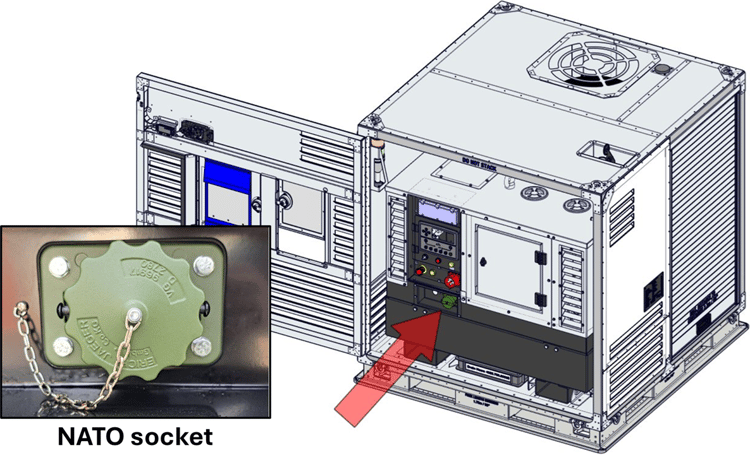
Connect the NATO cable to the source (red is positive, black is negative) and generator, start the generator and let it run for at least 15 minutes.

The NATO cable can be disconnected if the generator is running. Does the generator now start?
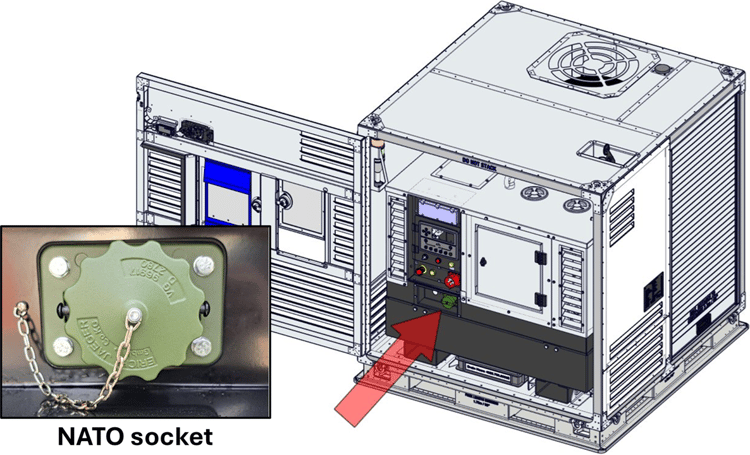
Yes, the generator is starting
No, the generator is not starting
NATO connection
Back to start
Back
Is the control panel of the generator “ON” or “OFF”?
The control panel is still "OFF"
The control panel is "ON"
Back to start
Back
Shut down the generator and disconnect the NATO connector.
I shut down the generator and removed the NATO connector in a safe manner.
Full stop-1 NATO connection-1
Back to start
Back
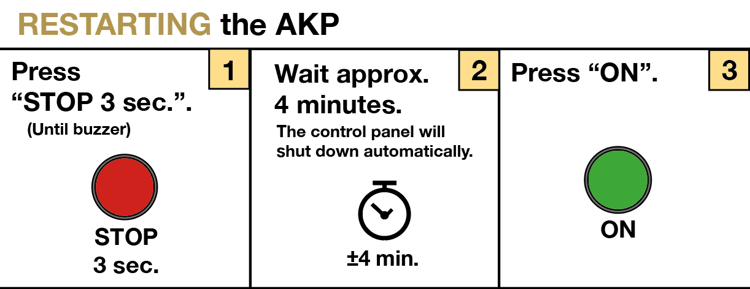
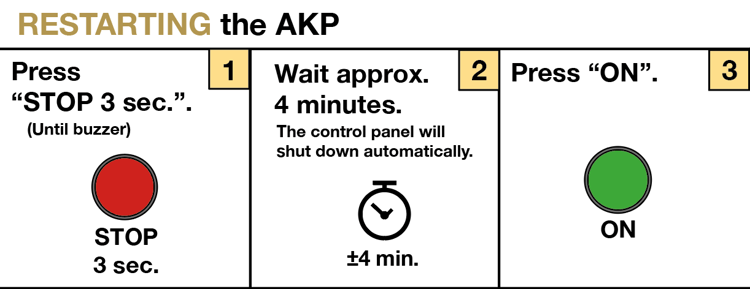
Follow the shutdown procedures as closely as possible, and restart the system (wait 15 minutes after restart).

Does this solve the issue?

Yes
No
Restart-2
Back to start
Back
Let the generator run for 15 minutes, then shut it down. Once the generator is shut down, the NATO cable may be removed.
I shut down the generator and removed the NATO connector in a safe manner
Full stop-2 NATO connection-2
Back to start
Back
Restart the generator. Does the generator give any errors?
Yes, the generator is buzzing. The control panel is “OFF” again
Yes, the control panel is giving an error (and generator may be buzzing)
No errors on the generator side, but the AKP light is red
No errors on the generator and the AKP light is green
Restart
Back to start
Back
Shut down the generator and disconnect the NATO cable. Make sure to close the NATO cap properly.
Yes, I disconnected the NATO cable in a safe manner
Full stop-Mar-02-2026-11-05-18-8843-AM NATO connection-4
Back to start
Back
Shut down the AKP and call the forwarder/supervisor to discuss on how to continue.

Take note of the colour of the fluid, but do not touch the fluid!

Which device is leaking fluids?
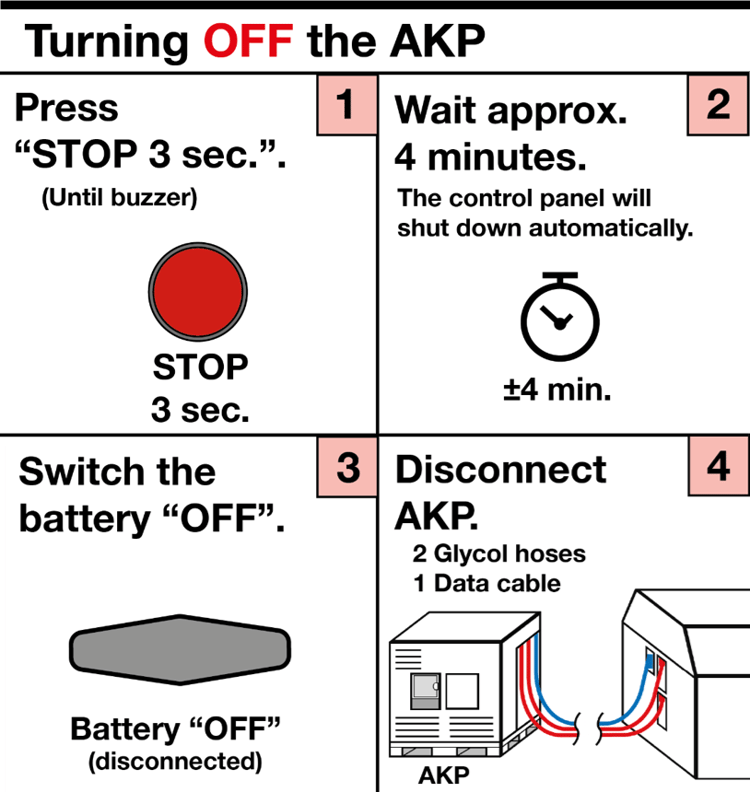
Climate Control Unit
The hoses are leaking
Full stop-3
Back to start
Back
Inform forwarder and discuss how to proceed.

If no error or solution can be found, or if the error is unclear, consider contacting the support line:
Contact support line
DSE Display-1
Back to start
Back
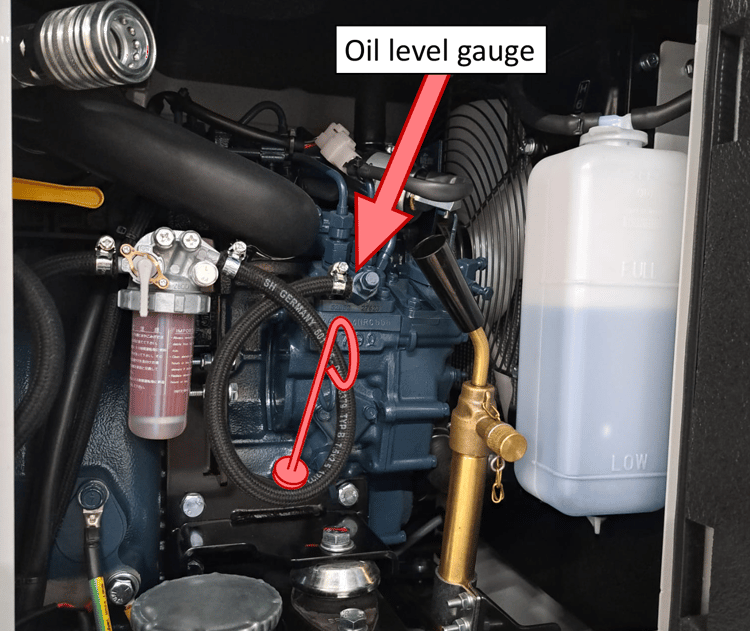
Call the forwarder/supervisor and consider the following: Measure the oil level using the oil level gauge.
Is the oil level sufficiently high?
Yes
No
Back to start
Back
Call the forwarder/supervisor and consider the following:
Keep the AKP and generator running. Use the arrow buttons to navigate to the battery page. Is it charging? If so, is the error still active after 15 minutes?
Yes
No
Back to start
Back
Turn off the generator to prevent damage, and wait 5 minutes.

Make sure there is a 0.6m (2ft) clearance around the AKP.  Also ensure an unobstructed airflow through the ventilation panels to allow heat and exhaust gasses to move away from the AKP.

Call the forwarder/supervisor and consider the following:
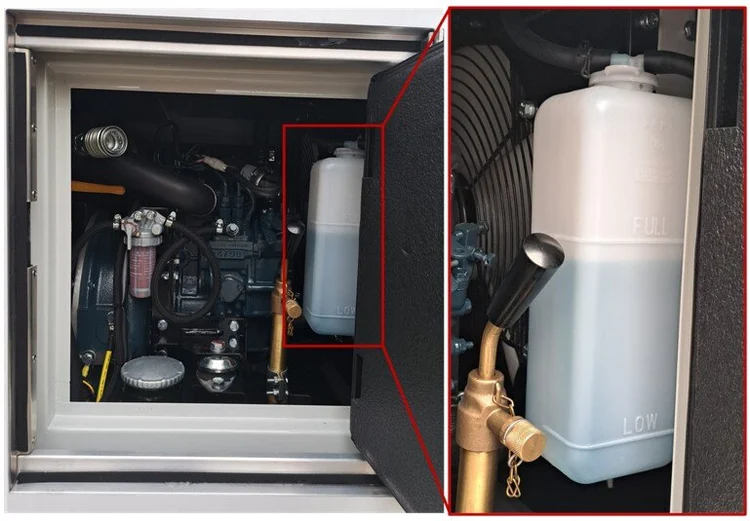
Check cooling fluid of the generator. Is the cooling fluid low/empty?
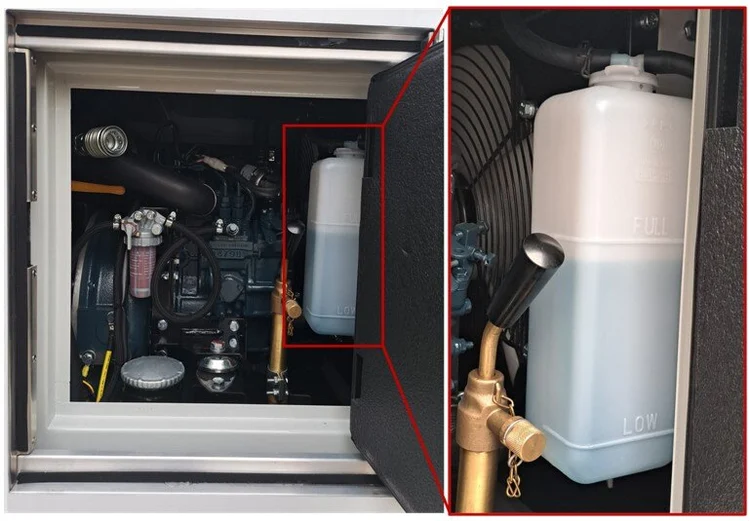
No, there is still enough cooling fluid
Yes, the cooling fluid is empty
Half stop-2 Cool fluid
Back to start
Back
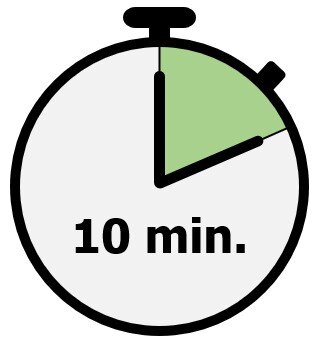
Wait another 10 minutes before restarting the generator.

Does this fix the problem?

Yes
No, I still get the temperature warning
Back to start
Back
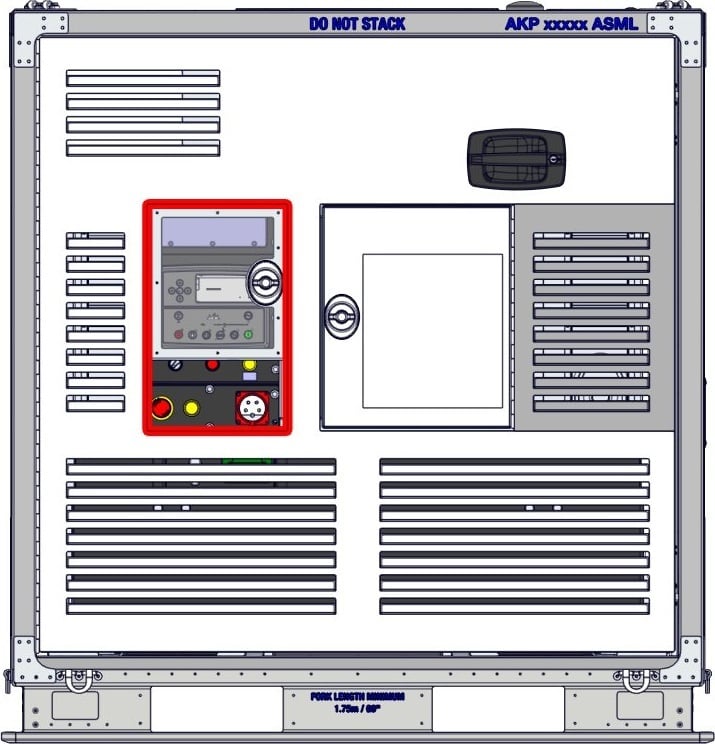
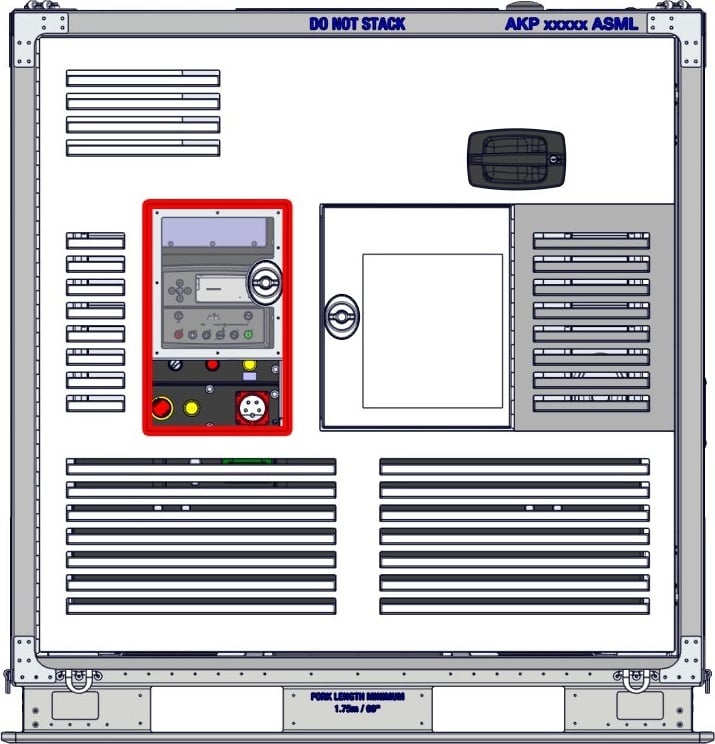
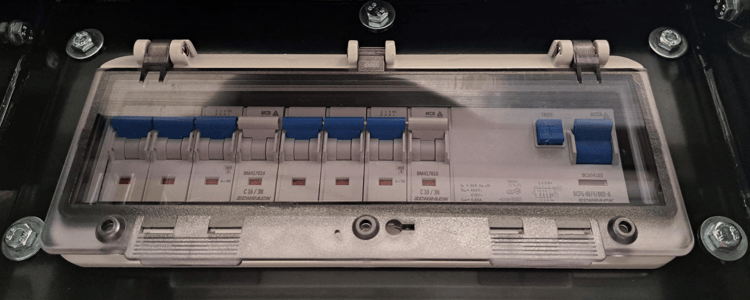
Check the fuse box on the control panel to see if any of the fuses are tripped

A tripped fuse can be recognised by a lowered fuse switch.

Are any of the fuses tripped?
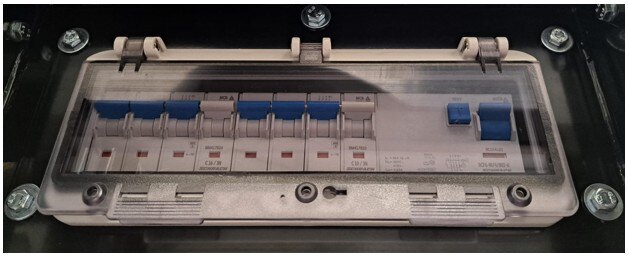
Yes
No
1235-10-1003 Control panel-3
Back to start
Back
Check reason why the emergency stop has been activated.

Inform the forwarder or supervisor and discuss how to proceed.

Does deactivating the emergency switch and restarting the generator solve the issue?

Problem not solved?
Problem solved!
Back to start
Back
Shut down the AKP and inform the forwarder/supervisor.

Discuss how and when to refill the cooling fluid. Use the OM (Operation Manual) or generator manual for detailed instructions and specification of coolant.

In order to prevent damages, it is not allowed to start the generator with low/empty cooling fluid

Half stop-3 Cool fluid-1
Back to start
Back
Inform forwarder if not done already, then contact the dedicated support line:

Erik Vrolijks: +31 (0) 651 826 846

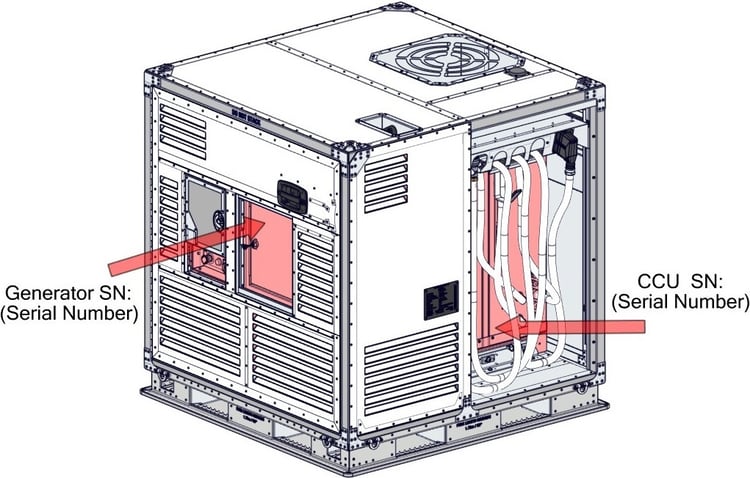
Make sure to have the serial numbers of both the generator and CCU readily available.

Restart troubleshooting guide
1235-10-1002 SN
Back to start
Back
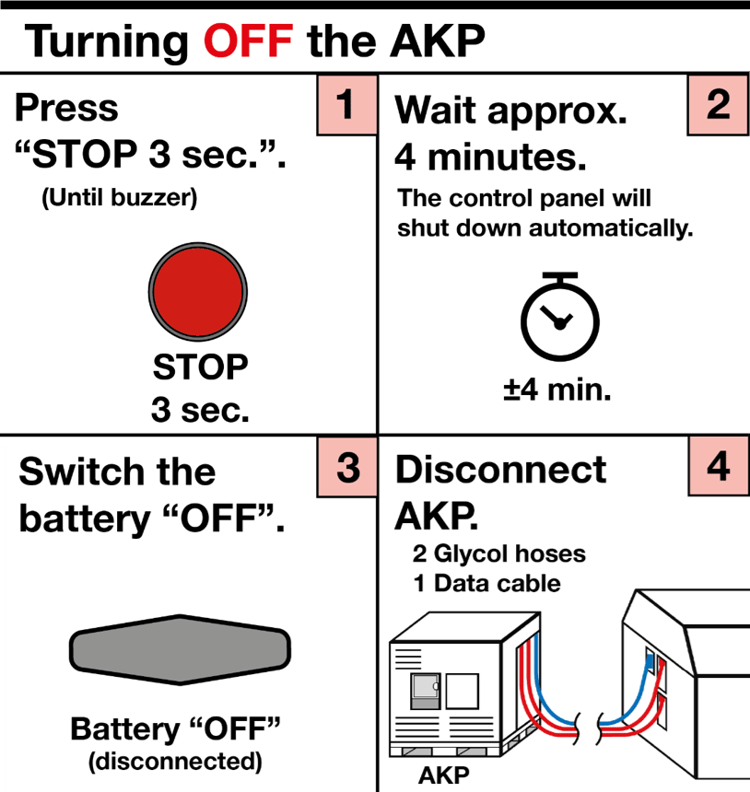
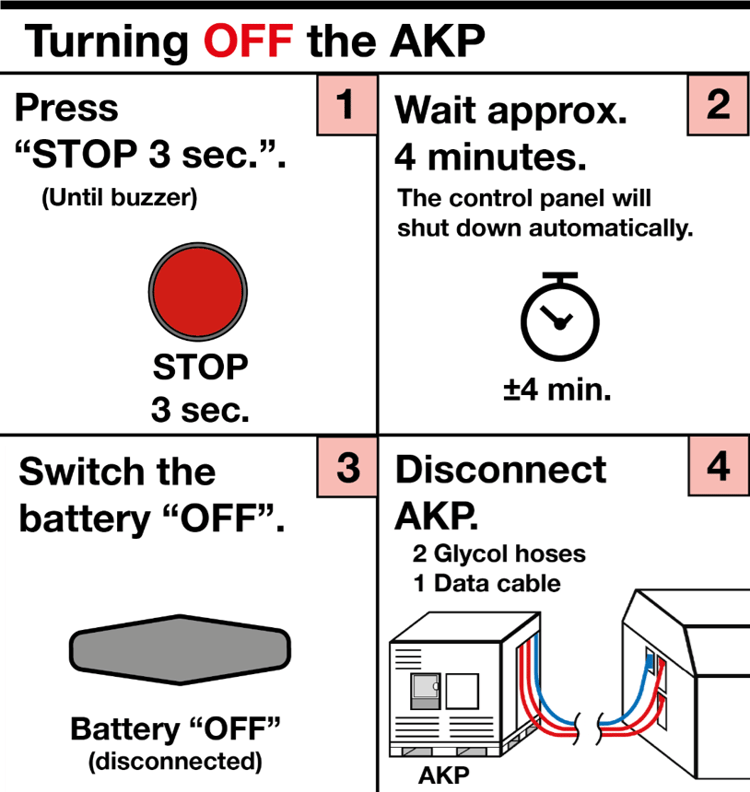
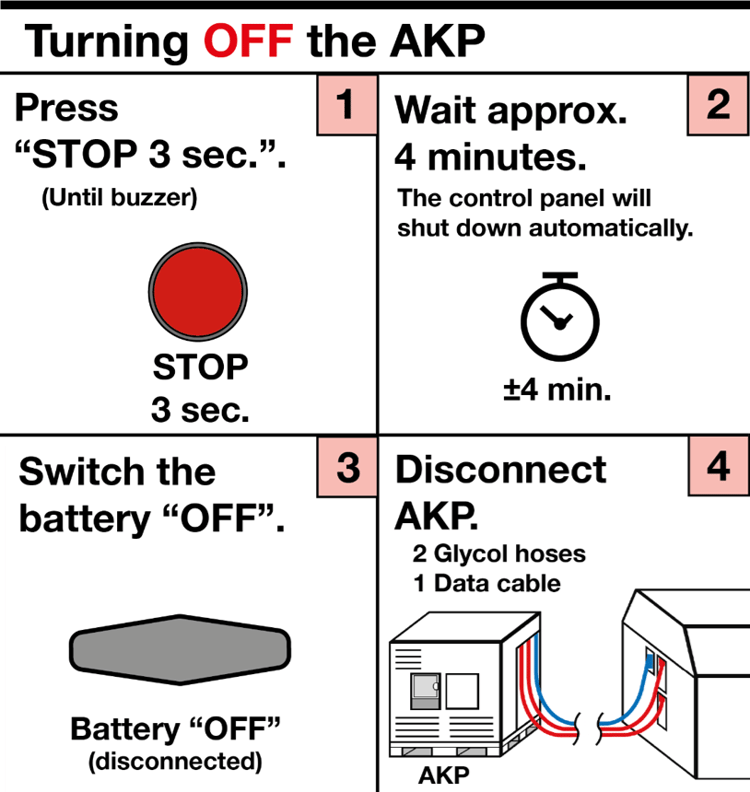
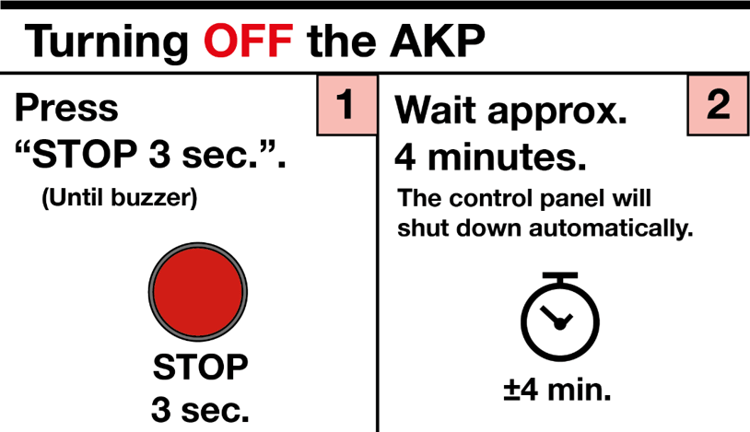
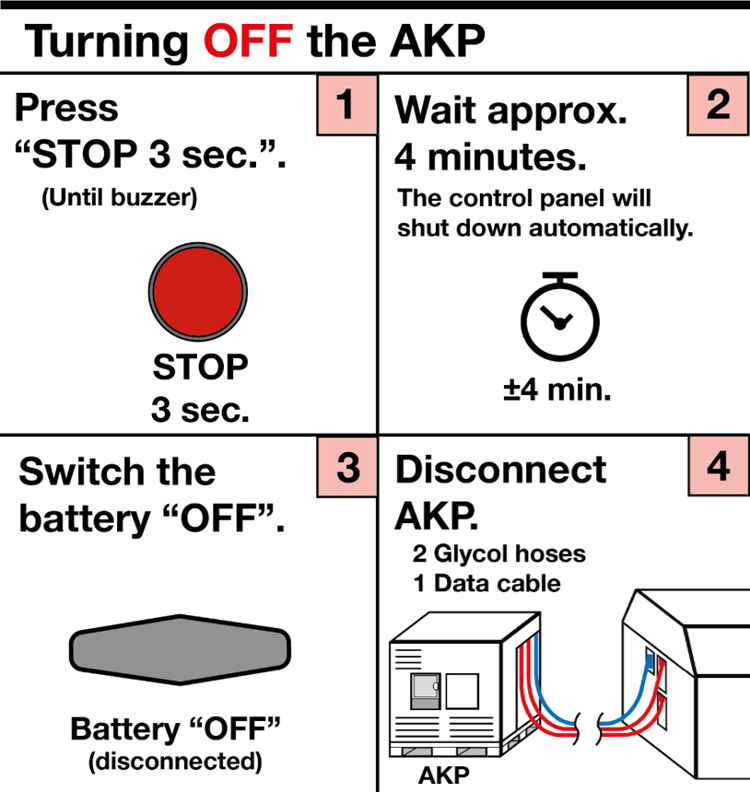
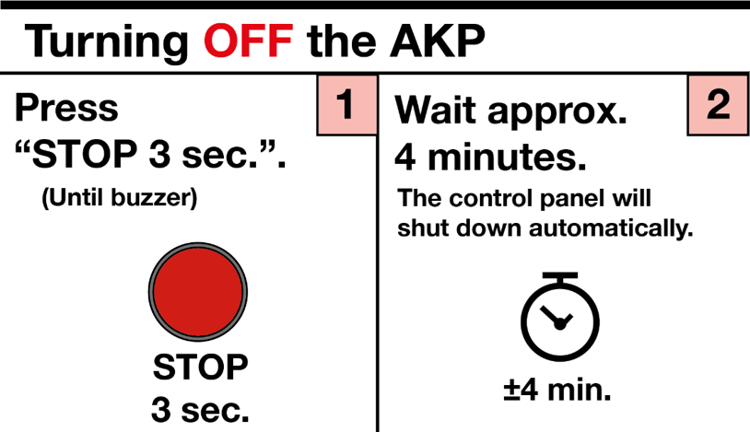
Shut down the AKP via the normal shut down procedure

inform forwarder/supervisor on how and where to re-fill oil. Use the OM (Operation Manual) or generator manual for detailed instructions.

Full stop-4
Back to start
Back
Report to forwarder/supervisor and discuss how to proceed.

Consider making an appointment to a Part 145 certified repair station.

Back to start
Back
Shut down the AKP by using the emergency switch

Call emergency services

Call forwarder/supervisor

Back to start
Back
Glad to hear you solved the problem!
Back to start
Back
Is the cargo container turned "ON"?
Yes
No
Is ULD switch ON
Back to start
Back
Turn the cargo container "ON".
Does this solve the problem?
Yes
No
Is ULD switch ON-1
Back to start
Back
Has the emergency stop been activated?
Check the control panel of the generator.
Yes
No
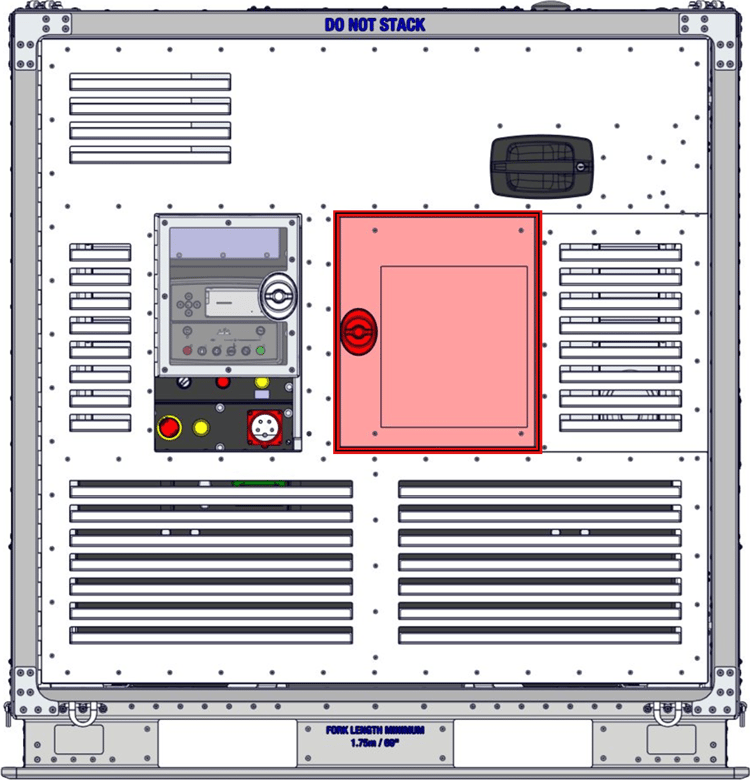
1235-10-1003 Control panel
Back to start
Back
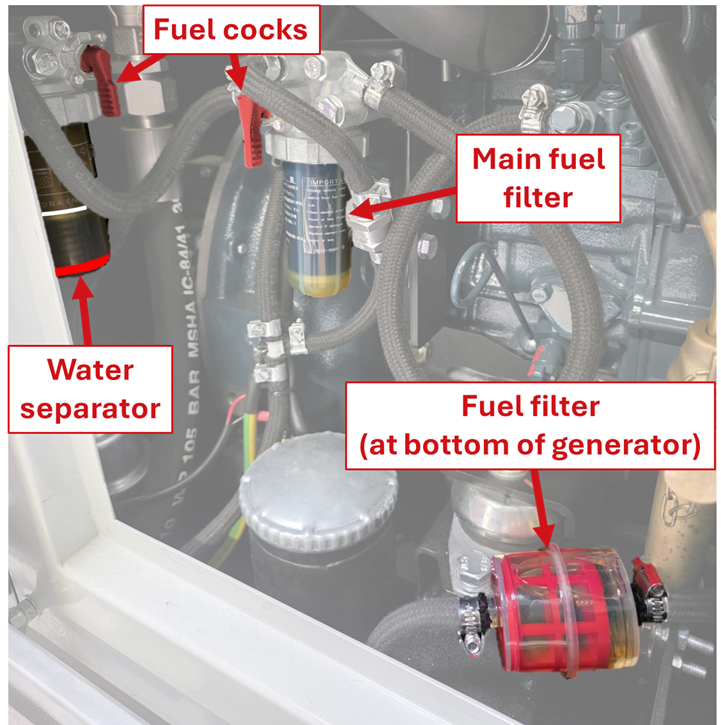
Open the generator maintenance hatch and check the following:

- There should be no air in the main fuel filter.

- There should be less than 50% air in the fuel filter at the bottom of the generator.

- The red line of the water separator is below the white line.

- Both fuel cocks are open (pointing downward).

Are any of these statement false?

No, all seems fine.
Yes, one (or more) statements are false!
Quick checks-1
Back to start
Back
Is there a low frequency alarm on the display of the generator?
Yes
No
1235-10-1003 Control panel-1
Back to start
Back
Does the generator give any error signals?
Yes, the generator gives an error message on the control panel and/or makes a buzzing sound.
No
1235-10-1003 Control panel-3
Back to start
Back
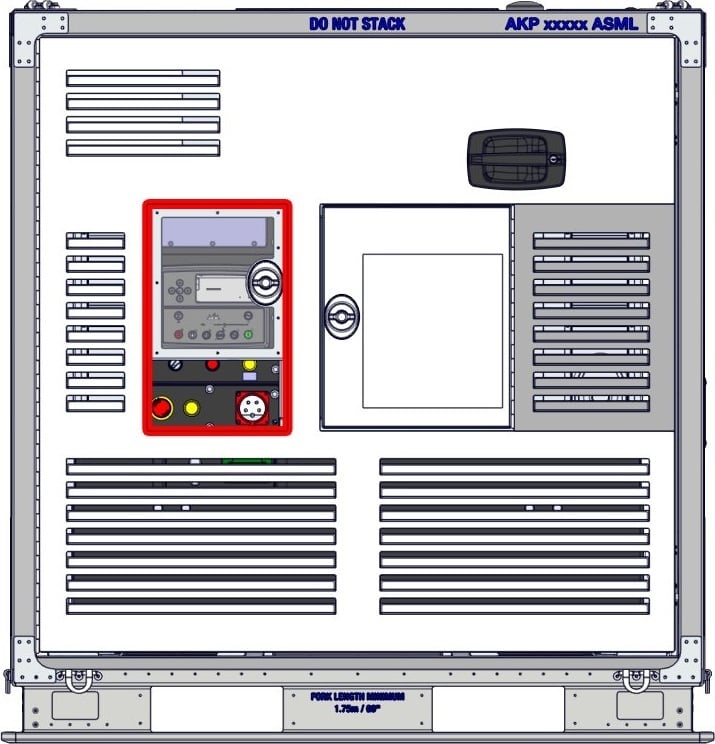
Check the fuse box on the control panel to see if any of the fuses are tripped.

A tripped fuse can be recognised by a lowered fuse switch.

Are any of the fuses tripped?
Yes
No
Zekeringen generator 1235-10-1003 Control panel-4